AI incident management
Document, track, and resolve AI-related incidents effectively.
Overview
AI incident management is the practice of detecting, documenting, responding to and learning from problems that occur with AI systems. Unlike traditional software bugs, AI incidents can be subtle. A model might produce biased outputs, make incorrect predictions or behave unexpectedly in edge cases without triggering obvious errors.
Good incident management needs both reactive capabilities (handling problems when they occur) and proactive practices (learning from incidents to prevent recurrence). Teams that handle AI incidents well can respond quickly, minimize harm and keep improving their systems.
Why manage AI incidents?
- Minimize harm: Quick response limits the impact of AI failures on users
- Regulatory compliance: Regulations require incident documentation and may mandate reporting serious incidents
- Continuous improvement: Incident analysis reveals weaknesses and drives fixes in AI systems
- Stakeholder trust: Transparent incident handling shows you take AI governance seriously
- Knowledge retention: Documented incidents preserve what your team learned for future reference
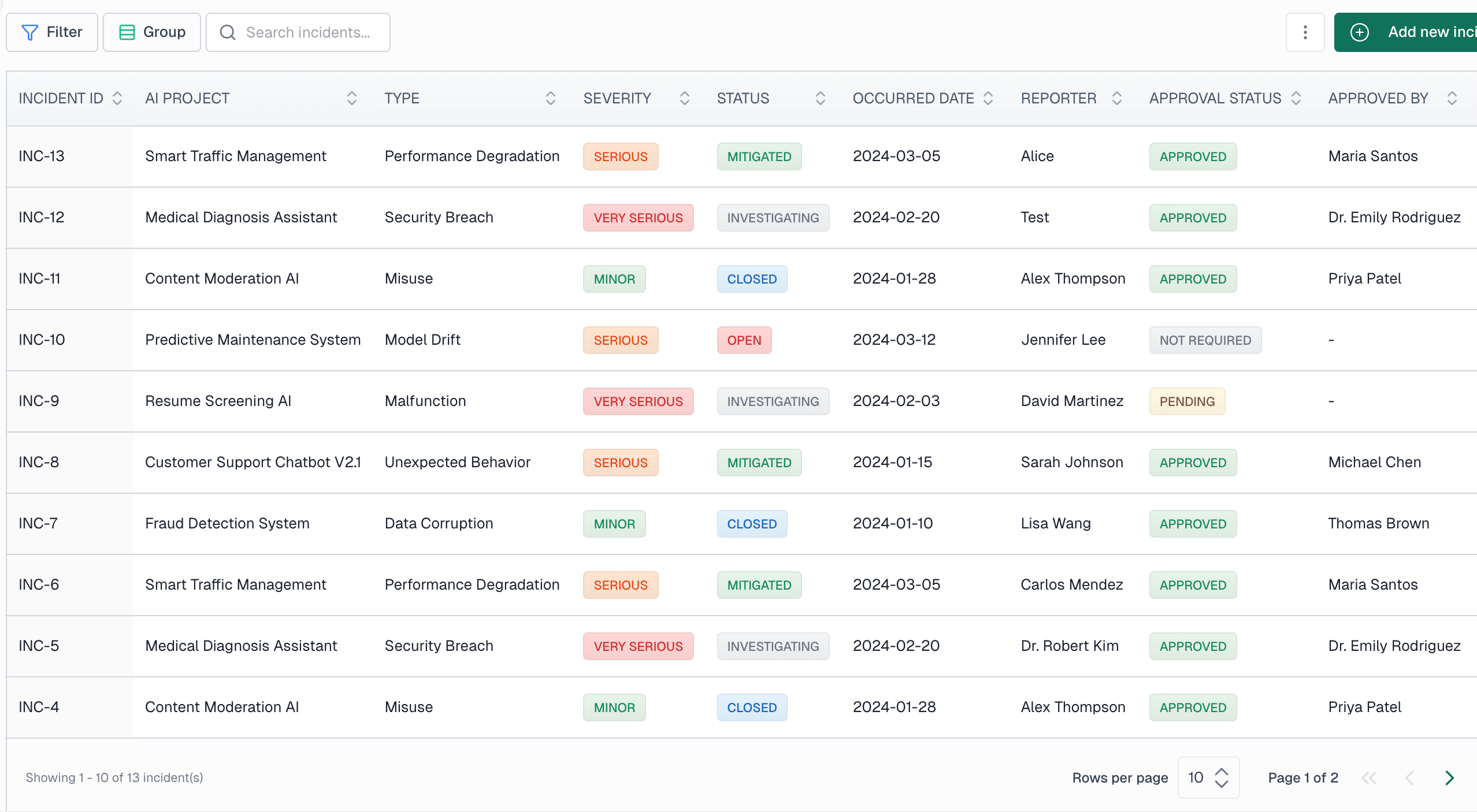
Creating an incident
Go to Governance > Incident management in the sidebar and click New incident. You'll need to provide:
- AI project: ,Select the project or system involved in the incident
- Model/system version: ,Specify which version of the model was affected
- Description: ,Provide a clear description of what occurred
- Reporter: ,Who is reporting the incident
- Date occurred: ,When the incident actually happened
- Date detected: ,When the incident was discovered (may differ from occurrence)

Incident types
VerifyWise categorizes incidents to help with analysis and reporting:
Malfunction
The AI system failed to operate as designed or produced errors.
Unexpected behavior
The system behaved in ways not anticipated during development or testing.
Model drift
Model performance degraded over time due to changes in input data patterns.
Misuse
The AI system was used in ways outside its intended purpose.
Data corruption
Issues with training data, input data, or data pipelines affected the system.
Security breach
Unauthorized access, adversarial attacks, or security vulnerabilities were exploited.
Performance degradation
Significant decline in accuracy, latency, or other performance metrics.
Severity levels
Classify incidents by severity to prioritize response efforts:
| Severity | Description | Example |
|---|---|---|
| Minor | Limited impact, no harm caused | Occasional incorrect predictions with no downstream effect |
| Serious | Significant impact on operations or users | Systematic bias affecting a group of users |
| Very serious | Potential or actual harm to individuals | Safety-critical system failure, data breach |
Incident workflow
Incidents progress through defined statuses as they are investigated and resolved:
- Open: Incident has been reported and is awaiting investigation
- Investigating: Team is actively analyzing the root cause
- Mitigated: Immediate actions have been taken to address the issue
- Closed: Incident has been fully resolved and documented
- Suspended: Incident is temporarily put on hold pending further review
- Emergency action: Incident requires immediate emergency response measures
You can move an incident between any of these statuses, including reopening a closed incident. To reopen one, edit the incident and change its status from Closed to the status that fits, such as Investigating. The status change is recorded in the incident's activity history.
Documenting mitigation actions
For each incident, record both immediate and long-term responses:
Immediate mitigations
Actions taken to stop ongoing harm (rollback, disable feature, manual override)
Corrective actions
Planned fixes to prevent recurrence (model retraining, process changes, monitoring)
Approval workflow
Serious incidents may require approval before being closed. The approval workflow tracks:
- Approval status (Pending, Approved, Rejected, Not required)
- Who approved the incident closure
- Approval date and timestamp
- Approval notes and conditions
Because approval signs off the closure, reopening a closed incident that was approved sets its approval status back to Pending and clears the approver, approval date and approval notes. The previous values stay in the incident's activity history. Once the incident is resolved again, approve it again before closing it. If you change any approval field in the same save that reopens the incident, your approval values are kept instead.
Affected parties
Document which individuals or groups were affected by the incident. You'll need this for:
- Regulatory reporting requirements
- Communication and notification obligations
- Impact assessment and remediation
- Lessons learned and prevention
Interim reports
For ongoing incidents, you can mark that an interim report has been filed. This is particularly relevant for regulatory compliance where initial notifications must be submitted within specific timeframes.
Archiving incidents
Closed incidents can be archived to keep your active incident list manageable while maintaining complete records for audit purposes. Archived incidents remain searchable and can be restored if needed.