Conducting risk assessments
Learn how to identify and evaluate risks in your AI projects.
Overview
Risk assessment is about figuring out what could go wrong with your AI systems, how likely it is to happen and how bad the consequences would be. It helps you decide which risks need immediate attention and which ones you can monitor over time.
AI systems bring risks that traditional software doesn't, like biased decision-making or unexpected model behaviors. Identifying these risks early lets you put controls in place before problems happen rather than reacting after the fact.
Why assess AI risks?
AI systems present challenges that make formal risk assessment worth the effort:
- Regulatory compliance: Regulations like the EU AI Act require documented risk assessments for AI systems
- Stakeholder protection: Spotting risks helps protect users, customers and affected communities
- Business continuity: Knowing your risks prevents costly failures and reputation damage
- Informed decision-making: Risk data helps you prioritize resources and mitigation efforts
- Accountability: Documented assessments show auditors and regulators you've done your homework
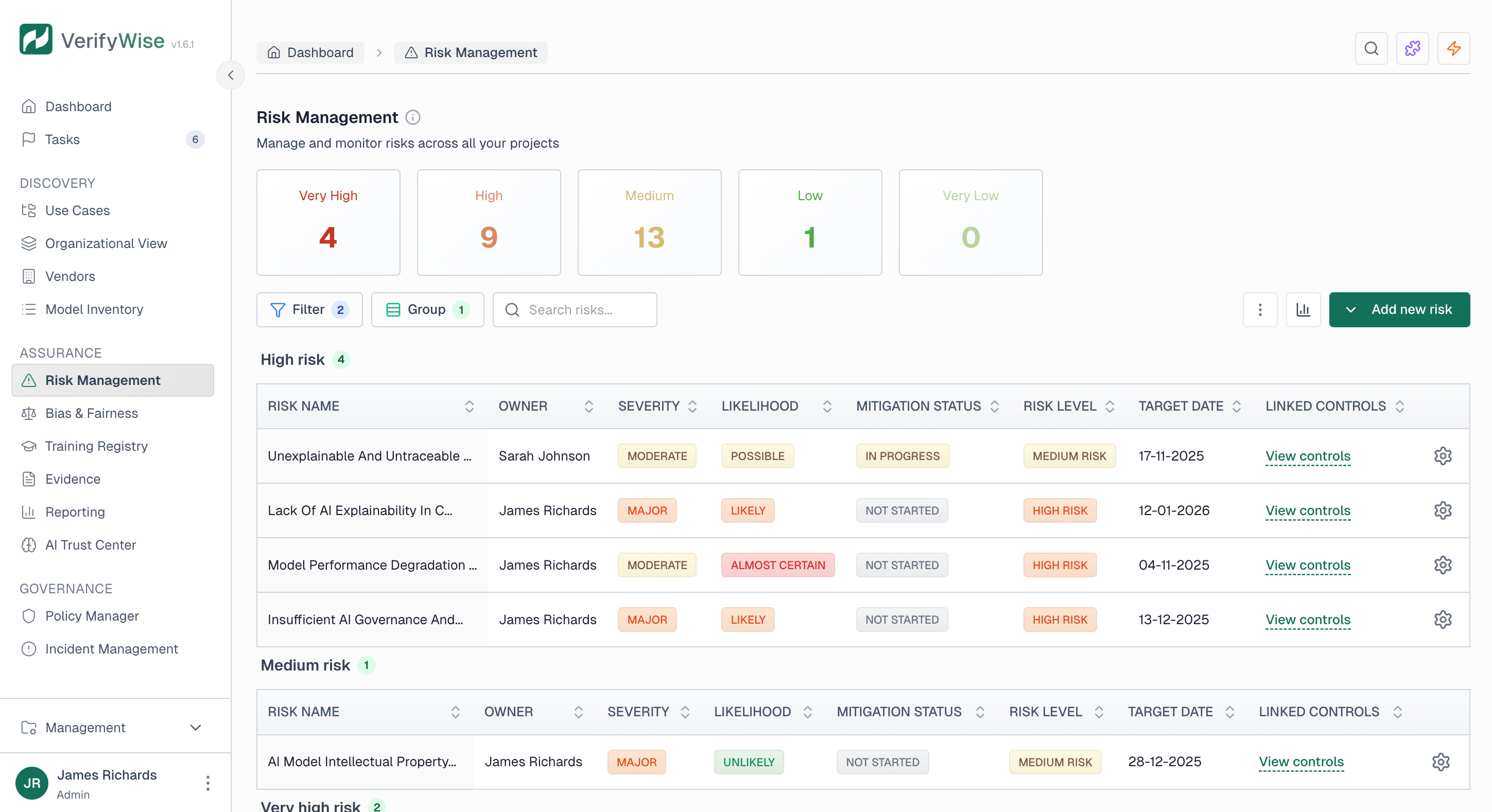
Creating a risk
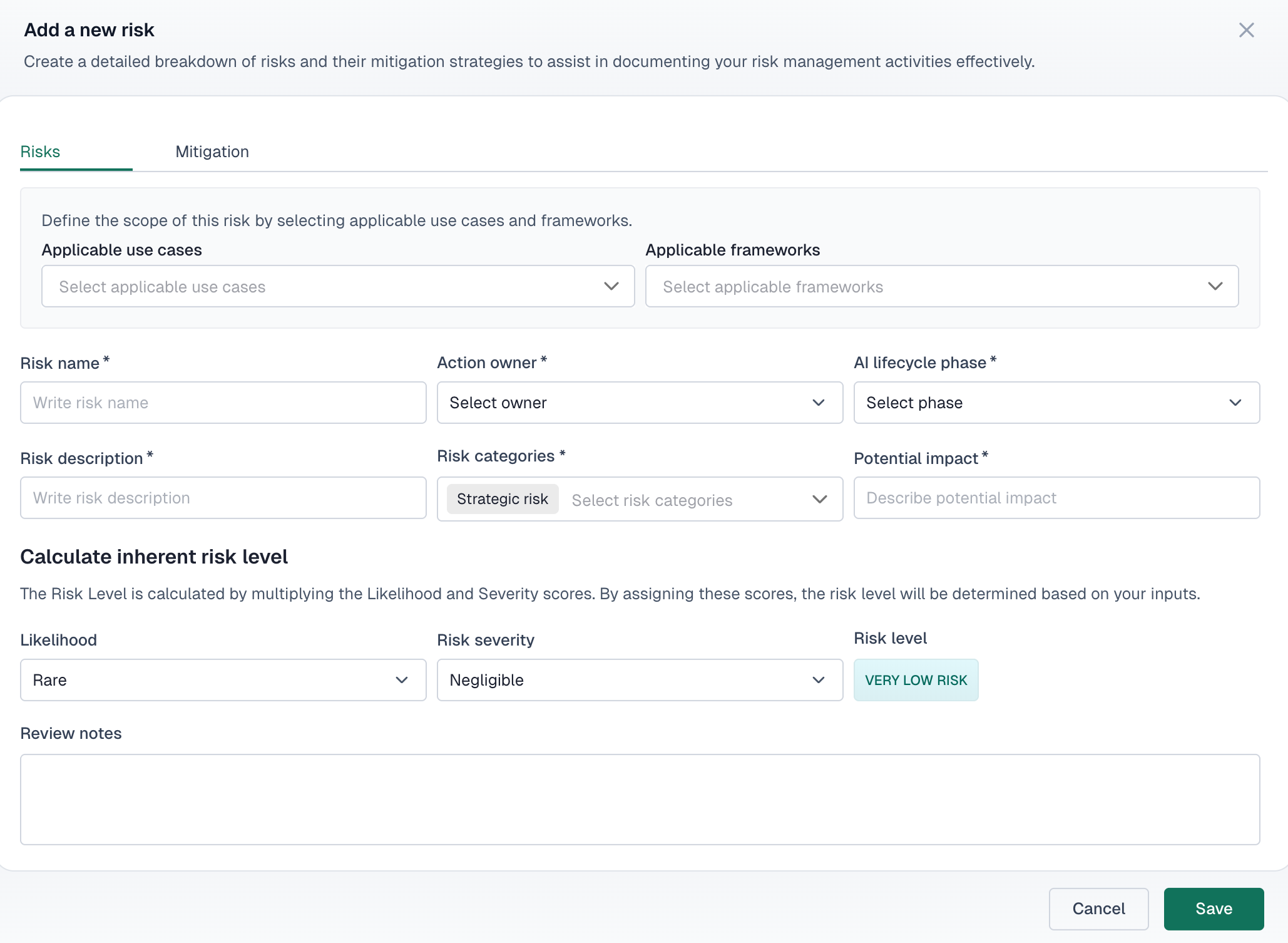
To create a new risk, head to the risk management section and fill in these details:
- Risk name: A clear, descriptive name for the risk
- Action owner: The person responsible for managing this risk
- Risk description: Detailed explanation of the risk and its potential consequences
- AI lifecycle phase: When in the AI lifecycle this risk applies
- Risk category: Classification of the risk type
AI lifecycle phases
VerifyWise tracks risks across the full AI system lifecycle:
Problem definition and planning
Initial project scoping, requirements gathering, and feasibility assessment.
Data collection and processing
Data sourcing, cleaning, labeling, and preparation activities.
Model development and training
Algorithm selection, model architecture, and training processes.
Model validation and testing
Performance evaluation, bias testing, and quality assurance.
Deployment and integration
Production rollout and system integration activities.
Monitoring and maintenance
Ongoing performance monitoring and model updates.
Risk analysis
Each risk gets analyzed using likelihood and severity. VerifyWise calculates the overall risk level automatically from these inputs.
Likelihood assessment
Rate how probable the risk is to occur:
| Likelihood | Description |
|---|---|
| Rare | Highly unlikely to occur |
| Unlikely | Not expected but possible |
| Possible | May occur at some point |
| Likely | Expected to occur |
| Almost Certain | Will almost definitely occur |
Severity assessment
Rate the potential impact if the risk materializes:
| Severity | Description |
|---|---|
| Negligible | Minimal impact, easily addressed |
| Minor | Limited impact, manageable consequences |
| Moderate | Noticeable impact requiring attention |
| Major | Significant impact on operations or stakeholders |
| Catastrophic | Severe impact with long-term consequences |
Calculated risk levels
VerifyWise calculates the risk level from your likelihood and severity ratings:
| Risk level | Recommended action |
|---|---|
| No risk | No action required |
| Very low | Monitor periodically |
| Low | Standard monitoring and review |
| Medium | Active management required |
| High | Priority attention needed |
| Very high | Immediate action required |
Linking risks to use cases and frameworks
Risks can be associated with:
- Use cases: Link risks to specific AI use cases in your portfolio
- Frameworks: Associate risks with compliance frameworks like EU AI Act or ISO 42001
- Assessments: Map risks to specific assessment questions and controls
Risk tracking
VerifyWise gives you a few ways to monitor your risks:
- View all risks across your organization
- Filter risks by use case
- Filter risks by compliance framework
- Track risk status changes over time
Additional risk fields
Each risk record can include:
- Impact description for detailed consequence analysis
- Assessment mapping to link to specific assessment items
- Controls mapping to associate with governance controls
- Review notes for ongoing observations
- Date of assessment for tracking when the risk was evaluated
Related articles
Quantitative risk assessment (FAIR)
Quantify AI risks in financial terms with ALE calculations and industry benchmarks
Risk mitigation strategies
Learn how to implement controls for identified risks
Vendor risk assessment
Assess risks from third-party AI vendors
EU AI Act compliance
Understand regulatory risk requirements