Vendor management
Evaluate and monitor third-party AI vendors and suppliers.
Overview
Vendor management is about tracking, evaluating and overseeing your relationships with third-party providers. For AI governance, that means knowing who supplies your AI capabilities, what data they can access and how their services affect your compliance obligations.
Most AI systems rely on external providers for models, training data, compute or complete AI services. Each relationship creates dependencies you need to understand. Without proper vendor management, you might not know which vendors access sensitive data, which use cases depend on which services or how a vendor change could disrupt your operations.
Why manage AI vendors?
Good vendor management helps you:
- Maintain visibility: Know exactly which vendors support your AI systems and what they provide
- Manage dependencies: Understand which use cases rely on which vendors and plan for changes
- Control data flows: Track what data is shared with each vendor and ensure appropriate protections
- Support compliance: Document vendor relationships for regulatory audits and assessments
- Reduce risk: Identify and address vendor-related risks before they become problems
The vendor registry
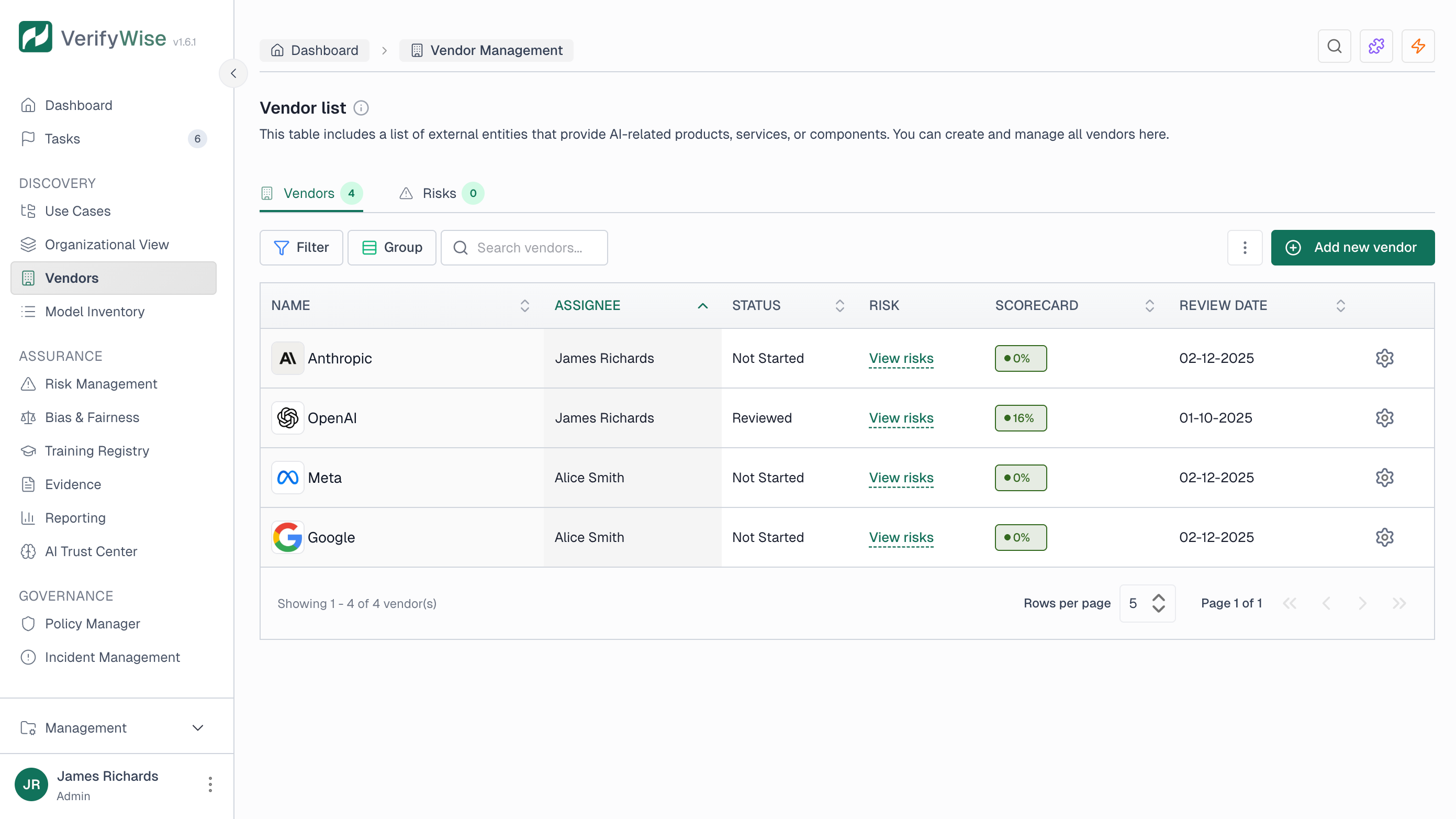
Open the vendor registry from the sidebar to view and manage all your AI vendors. The registry shows:
- Complete list of registered vendors
- Risk scores and review status
- Assignee responsible for each vendor
- Use case associations
Adding vendors
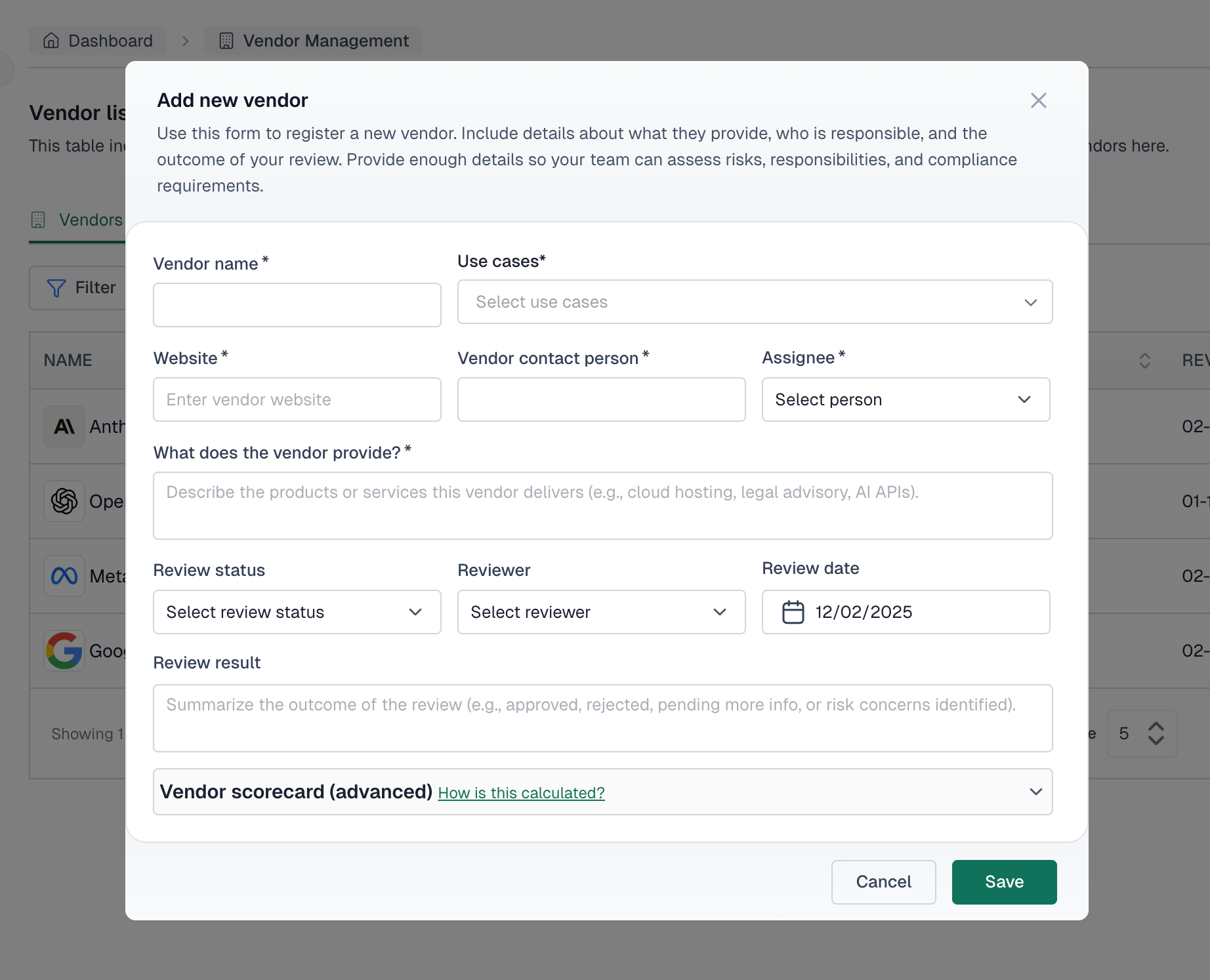
To register a new vendor, click "Add vendor" and fill in:
- Vendor name: The official company or product name
- Vendor provides: Description of what the vendor supplies
- Assignee: Person responsible for managing this vendor relationship
- Website: Vendor's official website URL
- Vendor contact person: Primary contact at the vendor
Review workflow
VerifyWise has a built-in review workflow for vendor assessments:
Not started
Vendor has been added but review has not begun.
In review
Vendor assessment is currently in progress.
Reviewed
Vendor assessment has been completed.
Requires follow-up
Review identified issues that need additional attention.
Each review captures:
- Reviewer: The person conducting the assessment
- Review date: When the review was performed
- Review result: Findings and conclusions from the review
Vendor scorecard
VerifyWise uses a scorecard to assess vendor risk. Each vendor gets evaluated across several dimensions:
Data sensitivity
Classify the sensitivity of data shared with or processed by the vendor:
- None: No sensitive data is shared
- Internal only: Internal business data only
- PII: Personally identifiable information
- Financial: Financial data or records
- Health: Health-related information
- Model weights: Proprietary model parameters
- Other: Other sensitive data types
Business criticality
Rate how critical this vendor is to your operations:
- Low (vendor supports non-core functions): Easy to replace; alternatives are readily available
- Medium (affects operations but is replaceable): Important but not critical; disruption would be manageable
- High (critical to core services or products): Disruption would significantly impact business
Past issues
Document any historical incidents with the vendor:
- None: No past incidents
- Minor incident (e.g. small delay, minor bug): Small issues that were resolved
- Major incident (e.g. data breach, legal issue): Significant incidents affecting operations
Regulatory exposure
Track which regulations apply to this vendor relationship:
- GDPR, General Data Protection Regulation
- HIPAA, Health Insurance Portability and Accountability Act
- SOC 2, Service Organization Control 2
- ISO 27001, Information Security Management
- EU AI Act, European AI Regulation
- CCPA, California Consumer Privacy Act
Risk score
Based on the scorecard inputs, VerifyWise calculates an overall risk score for each vendor. Higher scores mean greater risk and more oversight needed.
Linking vendors to projects
Associate vendors with the projects that use their services. This lets you see:
- Which projects depend on which vendors
- Impact assessment when vendor issues arise
- Vendor concentration across your portfolio